TABLE OF CONTENTS
Overview
ResiRoo is Vendoroo’s tenant-facing AI maintenance assistant, designed to manage the initial stages of maintenance requests from intake through triage.
It acts as the first point of contact for residents, gathering information, guiding troubleshooting, and determining next steps—before involving property managers or vendors.
By automating early-stage workflows, ResiRoo helps reduce operational workload while improving response speed and resident experience.
What ResiRoo Does
ResiRoo streamlines maintenance operations by:
- Receiving maintenance requests via SMS, email, or PMS integrations
- Triaging issues automatically using AI logic and historical context
- Guiding residents through troubleshooting when appropriate
- Collecting structured information and photos for accurate diagnosis
- Creating or updating work orders based on severity and client rules
- Managing follow-ups and communication before escalation
- Using professional, non-confrontational language to ensure a positive resident experience
Think of ResiRoo as your intelligent intake + triage layer.
Key Capabilities
1. Guided Troubleshooting
ResiRoo walks residents through step-by-step diagnostics based on the issue.
- Asks relevant questions
- Suggests simple fixes
- Determines next steps automatically
2. Image Analysis (NEW ?)
ResiRoo can now analyze images submitted by residents.
- Identifies visible issues (leaks, damage, appliances, etc.)
- Provides real-time guidance based on visual input
- Enhances work order descriptions with detailed context
Example: Instead of “there is a leak,” ResiRoo can identify:
- Location of the leak
- Severity
- Visible damage
This reduces delays and improves vendor readiness.
3. Smart Triage & Escalation
ResiRoo determines:
- Whether the issue is an emergency
- When to escalate to the next stage
- When human intervention is required
This ensures:
- Faster handling of urgent issues
- Fewer unnecessary escalations
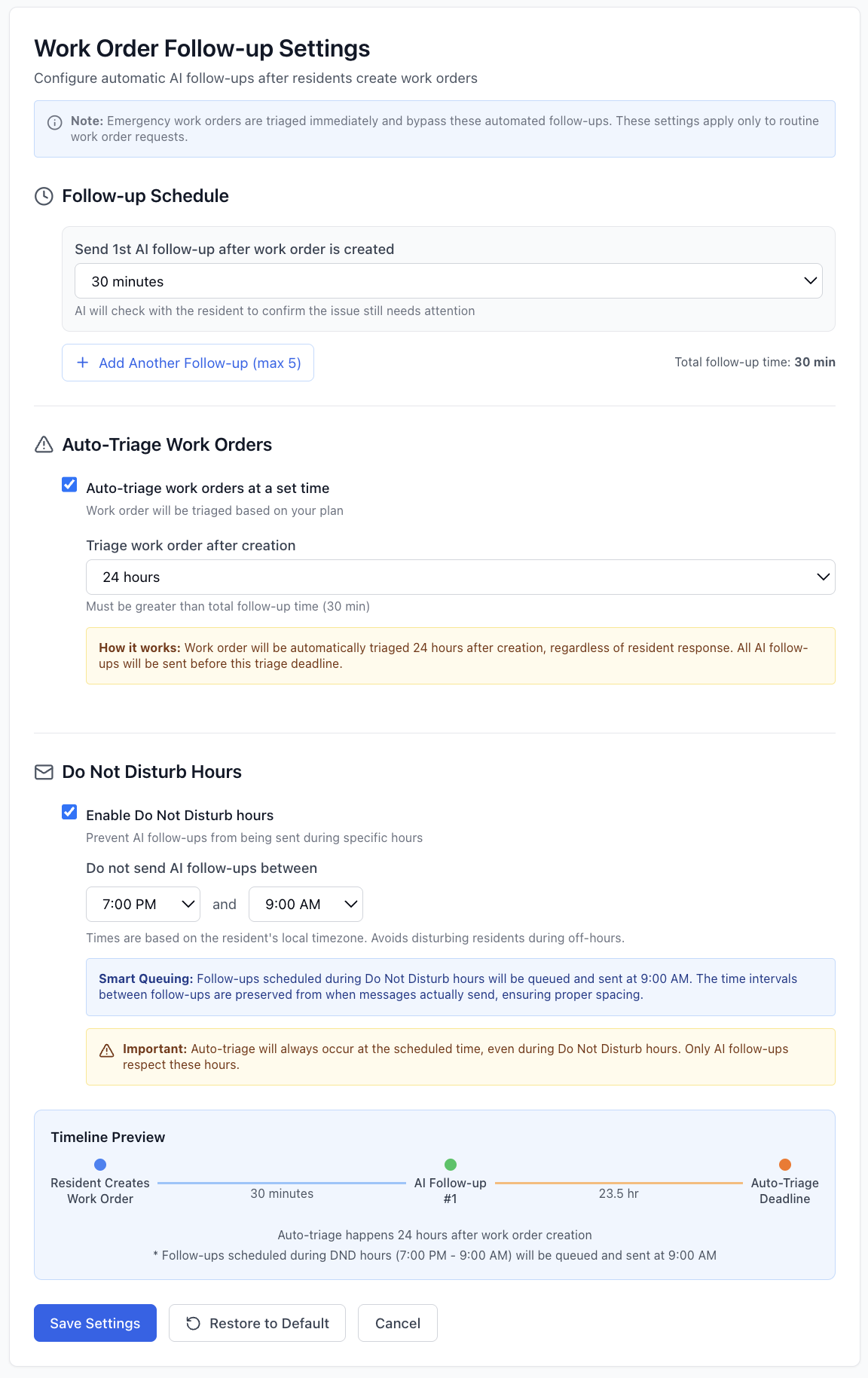
4. Customizable Follow-Ups & Timing
ResiRoo allows full control over communication cadence:
- Up to 5 automated follow-ups
- Custom escalation timing
- Property-based timezone alignment
- “Do Not Disturb” hours configuration
Default behavior:
- 1 follow-up after 8 hours
- Auto-triage after 24 hours
- Quiet hours: 7 PM – 9 AM
5. Property-Level Control
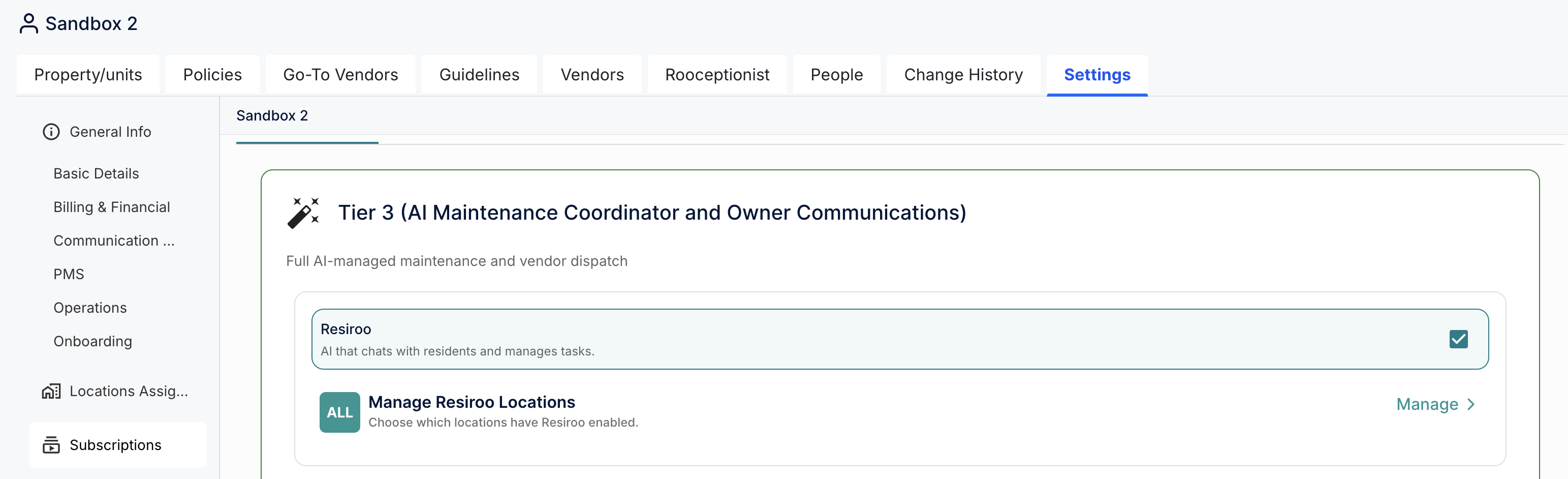
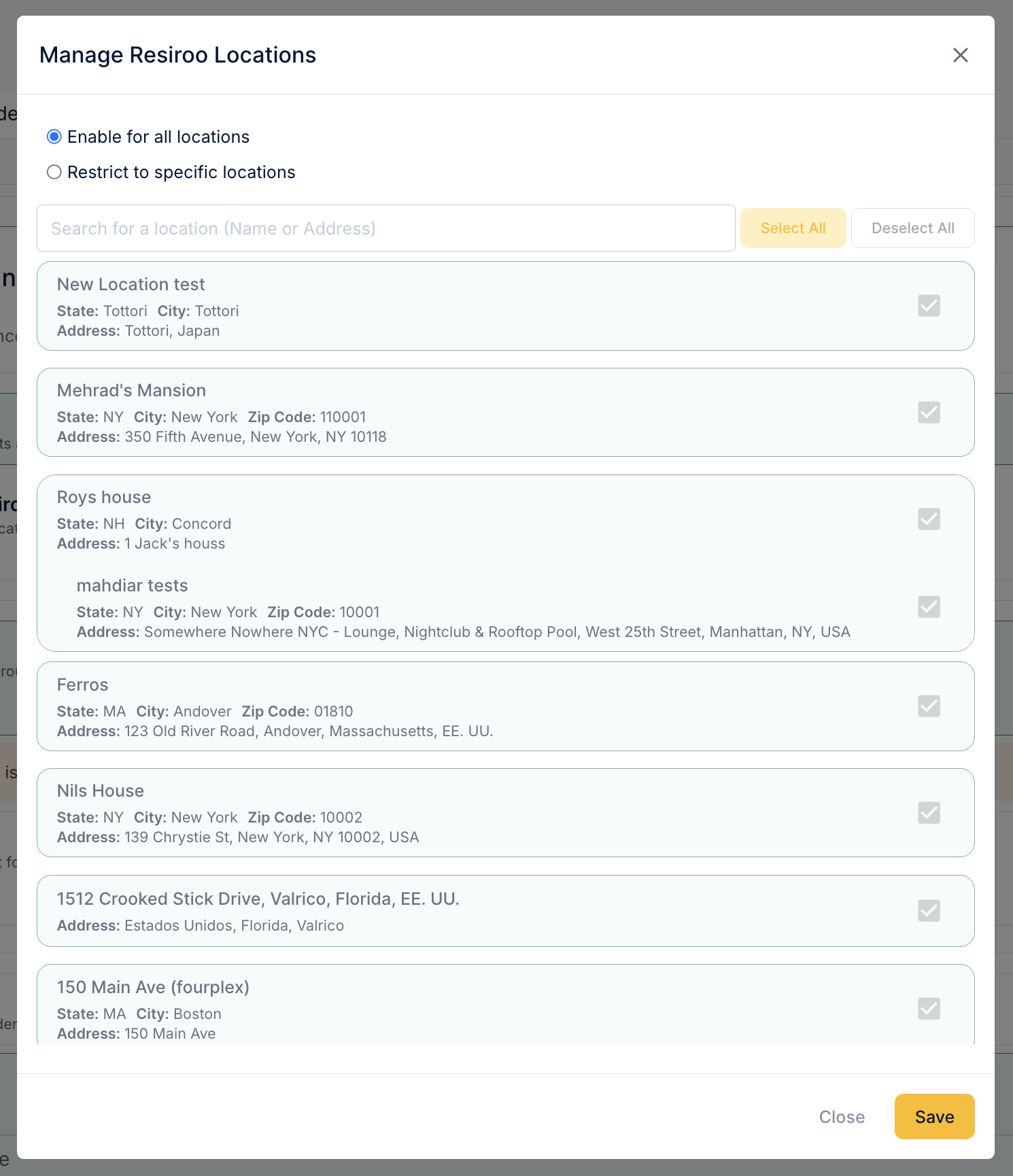
ResiRoo can be enabled or disabled per property.
- Ideal for trials or phased rollouts
- Allows selective automation across portfolios
If disabled:
- Work orders skip ResiRoo and move directly to triage
Examples
This is how you get there:
And this is how you manage buildings:
6. Stop Protocol (PM Control)
When a Property Manager takes over a work order:
- ResiRoo automatically stops communication
- Full control shifts to the PM
This ensures:
- No duplicate communication
- Clear ownership of the workflow
- Better client experience
Best Practices for Using ResiRoo
- Encourage residents to submit requests directly
- Keep property and unit notes up to date in your PMS
- Use PMRoo to refine behavior, tone, and rules
- Monitor performance during onboarding and optimize over time
- Clearly define emergency criteria and escalation paths
Summary
ResiRoo is more than a chatbot—it is a structured AI assistant designed to optimize maintenance operations from the first interaction.
By combining:
- Intelligent triage
- Context-aware decision-making
- Seamless escalation
ResiRoo ensures that every maintenance request is handled efficiently, consistently, and professionally.

Access PMRoo
Monitor, chat, and take action across your operations→ Click Here
View the Education Series
Learn workflows, automation, and best practices→ Click Here
Need help? Start with PMRoo, If you still need help contact the support email
Contact the support team: support@vendoroo.freshdesk.com
Was this article helpful?
That’s Great!
Thank you for your feedback
Sorry! We couldn't be helpful
Thank you for your feedback
Feedback sent
We appreciate your effort and will try to fix the article