
TABLE OF CONTENTS
1. Timeline in DeepDive
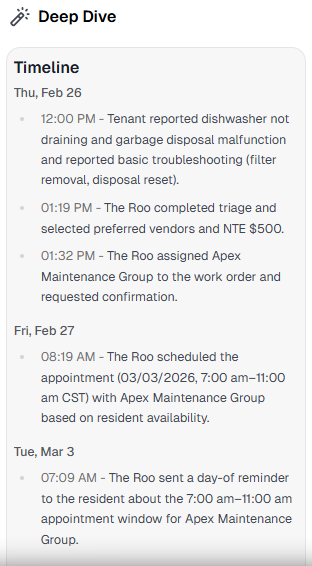
The DeepDive “Progress” item is now the “Timeline” – a clean, event-based history grouped by day and time, focused on real actions and communications. It improves trust and scannability for every work order.
Events grouped by calendar date.
Includes all meaningful moments: initial report, key conversations and outcomes, emergency status changes, vendor assignment/attendance, closure or re-open events, and context-rich notes.
2. Progress View (Beta)
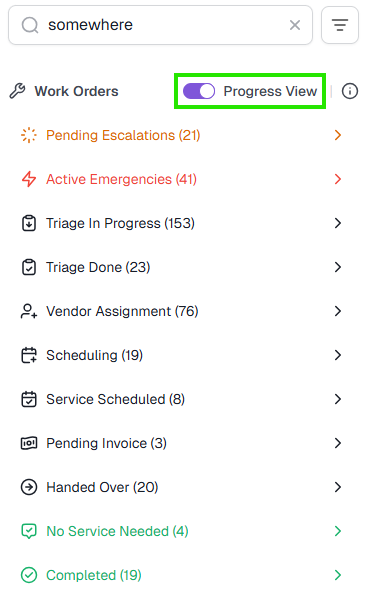
Quickly see how work orders flow through stages. Collapse/expand buckets to focus on what matters.
Groups include: Pending Escalations, Emergencies, Triage, Vendor Assignment, Scheduling, No service needed, Completed, and more.
The Search, Filter and Sort tools can be used in combination with Progress View.
3. AI Decision Logic and Policy Reference (Beta)
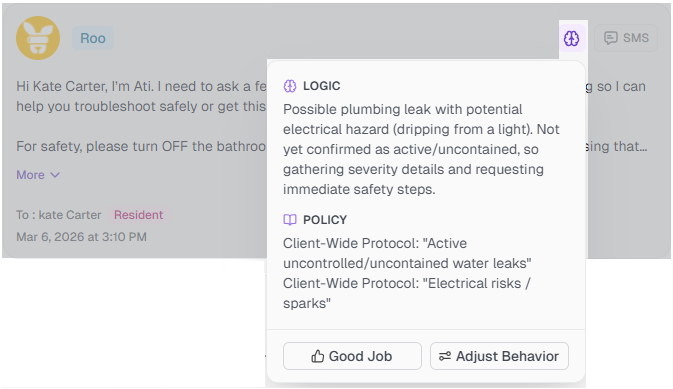
Understand why Roo sent a message. Look in the Comms tab for a brain icon on Roo-authored messages to open a popover with:
Logic – concise reasoning behind the action.
Policy – the referenced guideline or instruction.
Actions – click “Good Job” to endorse and increase autonomy for your Roo; “Adjust Behavior” to update policy via chat.
4. Suggested Responses in Chat
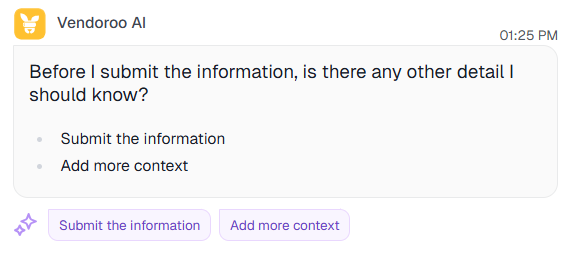
One-click replies help you confirm submissions, provide missing details, and keep requests moving—no typing required.
5. Insights Through Chat (Beta)
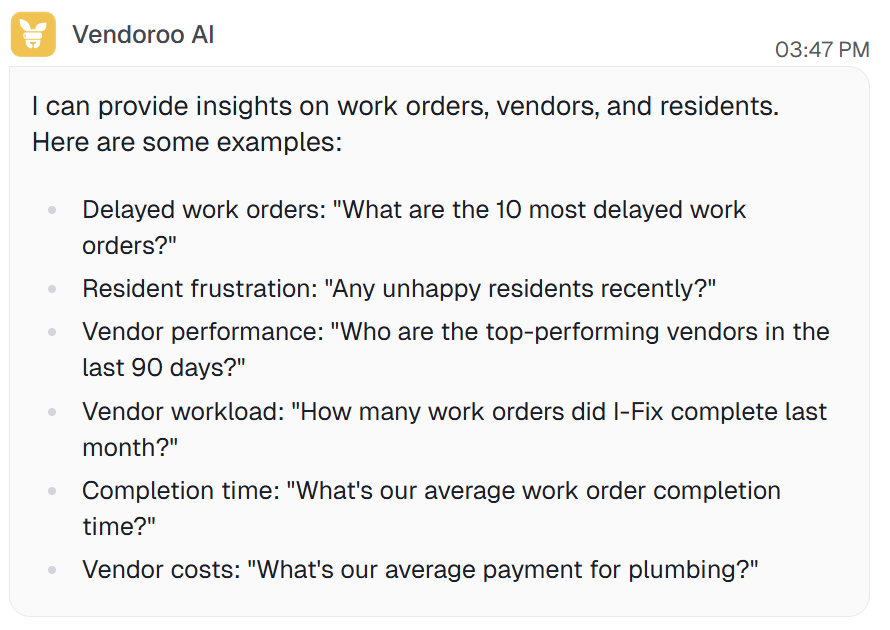
Ask natural questions—e.g., longest open work orders, resident sentiment trends, vendor performance, or average resolution time.
Mention your desired date frame (default is 30 days); PMRoo may expand the range if needed to find data.
Client data is secured and scoped to your account.
Send “Get Insights” in the chat for further examples.
6. Command Center
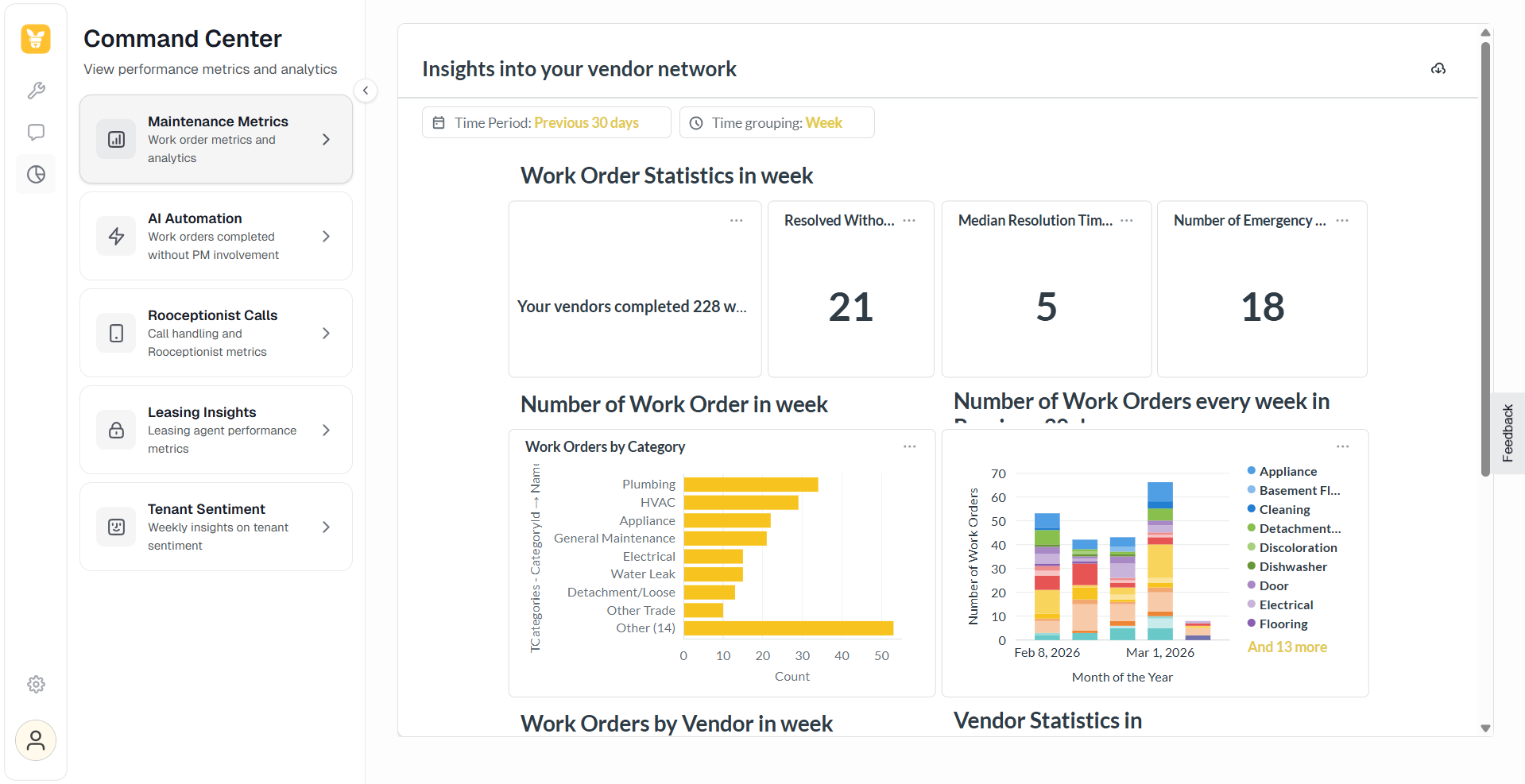
Track all your dashboards in one place.
A centralized view of property operations, featuring real-time analytics for maintenance, AI-driven automation, call handling, leasing performance and weekly tenant sentiment to help property managers optimize their service quality.
* Subject to subscription package
7. Analysing PM Involvement (Beta)
Stop Guessing, Start Automating.
Understand every manual intervention and optimize your Maintenance Book in no-time.
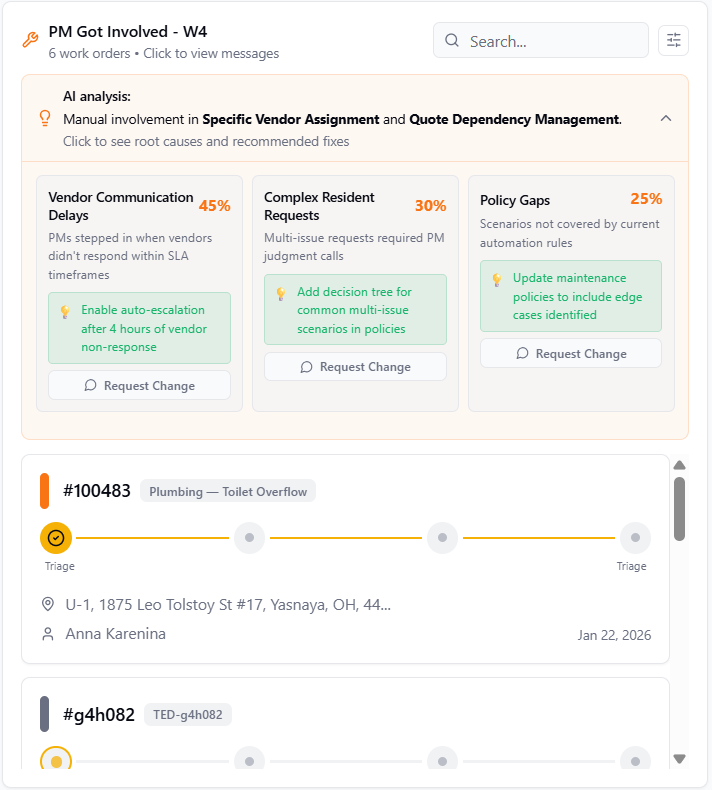
Visit the revamped AI Automation dashboard, to track how changes you make impact your automation rate over time. Check out the new widget showing the work orders where your PM team got involved, on each week available in the graph. Click on them to analyze the actual messages, or follow the AI recap of root causes for getting involved.
Coming Soon: Personalized tips for reducing manual work.
8. Account Settings
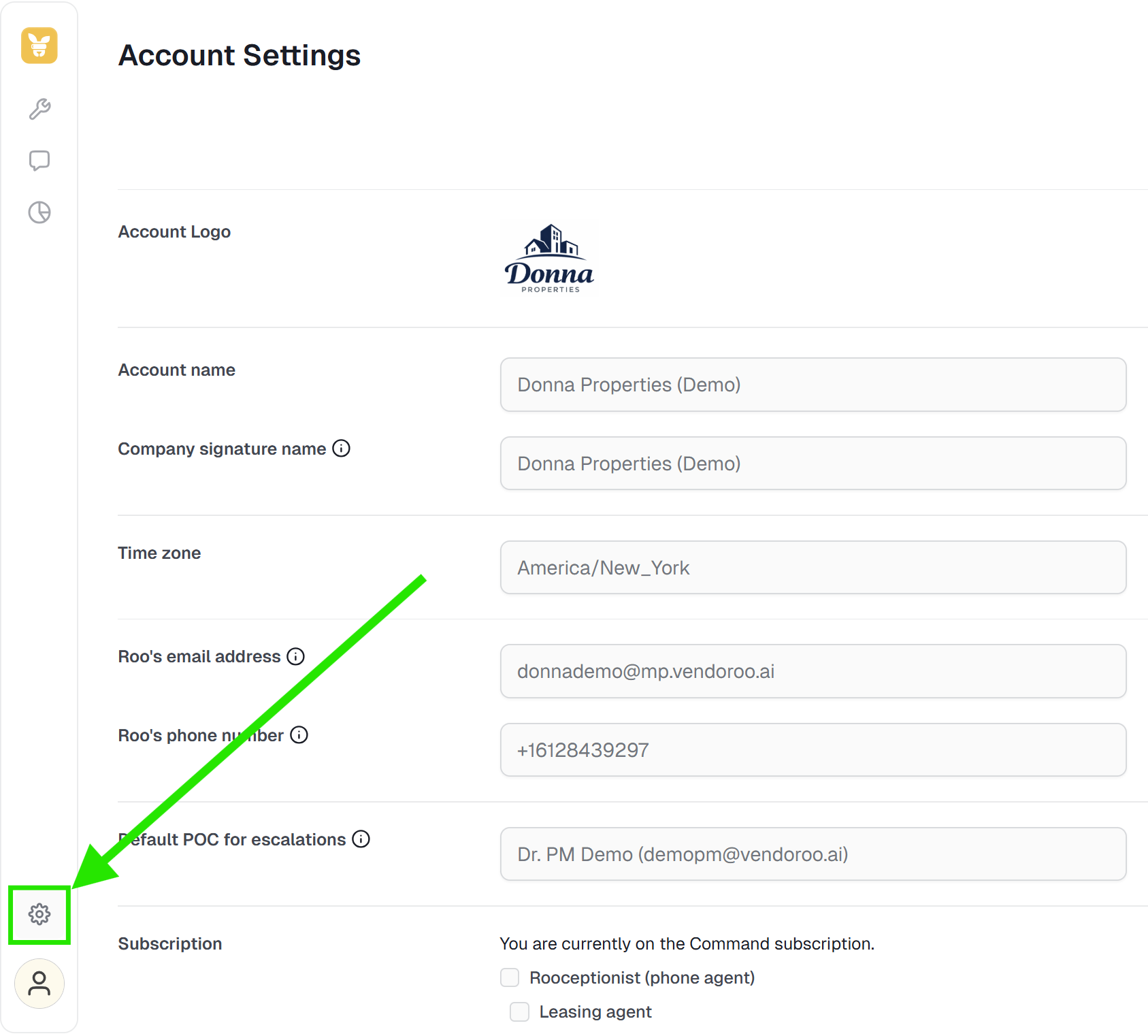
A single place to view your account’s key configuration - Roo’s contact details, subscribed services, default points of contact, door count, and more. Includes quick links to Notification Settings and the Maintenance Book.
Accessible from PMRoo profile menu.
9. Link Sharing on PMRoo
Share a secure deep link to open the exact PMRoo context - work order, escalations panel, etc. - so teammates land where you need them. Works in desktop and mobile.


Access PMRoo
Monitor, chat, and take action across your operations→ Click Here
View the Education Series
Learn workflows, automation, and best practices→ Click Here
Need help? Start with PMRoo, If you still need help contact the support email
Contact the support team: support@vendoroo.freshdesk.com
Was this article helpful?
That’s Great!
Thank you for your feedback
Sorry! We couldn't be helpful
Thank you for your feedback
Feedback sent
We appreciate your effort and will try to fix the article