
TABLE OF CONTENTS
- Spotlight View in Command Center
- Rooceptionist Calls
- Vendor Knowledge (@AI-Automation Dashboard)
- Attach files in PMRoo
- Quicker Responses to Escalations
- All PMRoo times use your account time zone
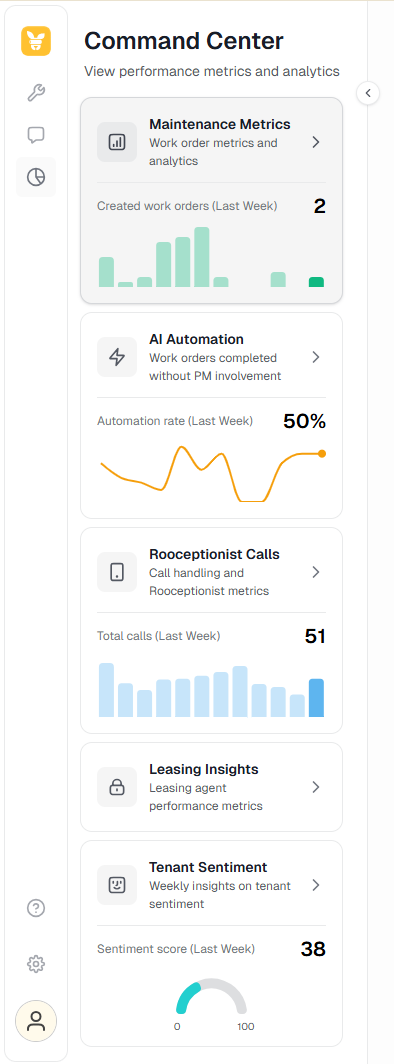
Spotlight View in Command Center
Highlighting key KPIs at a quick glance
Available for unlocked insight reports
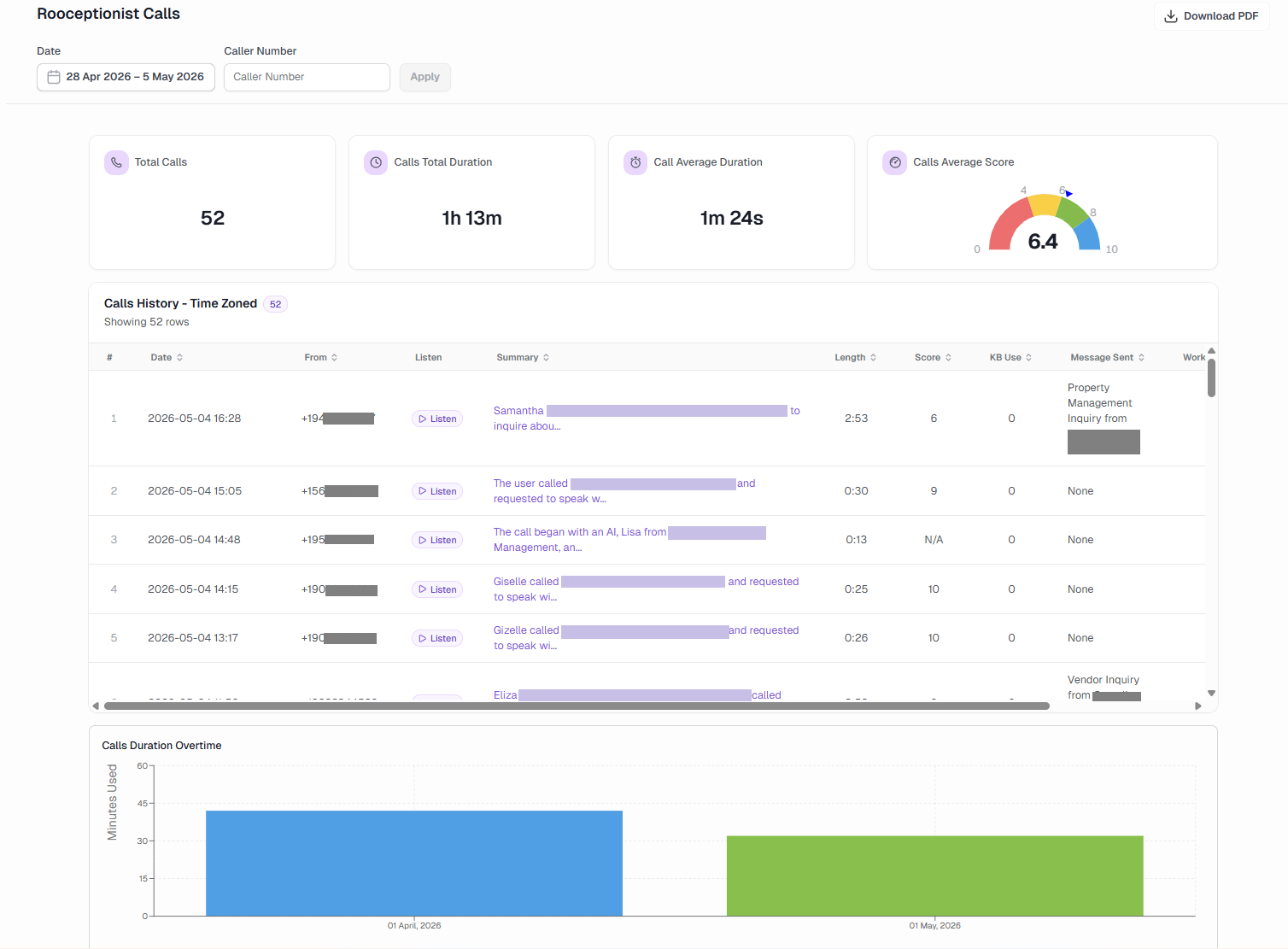
Rooceptionist Calls
Rolling out gradually
Getting a fresh look
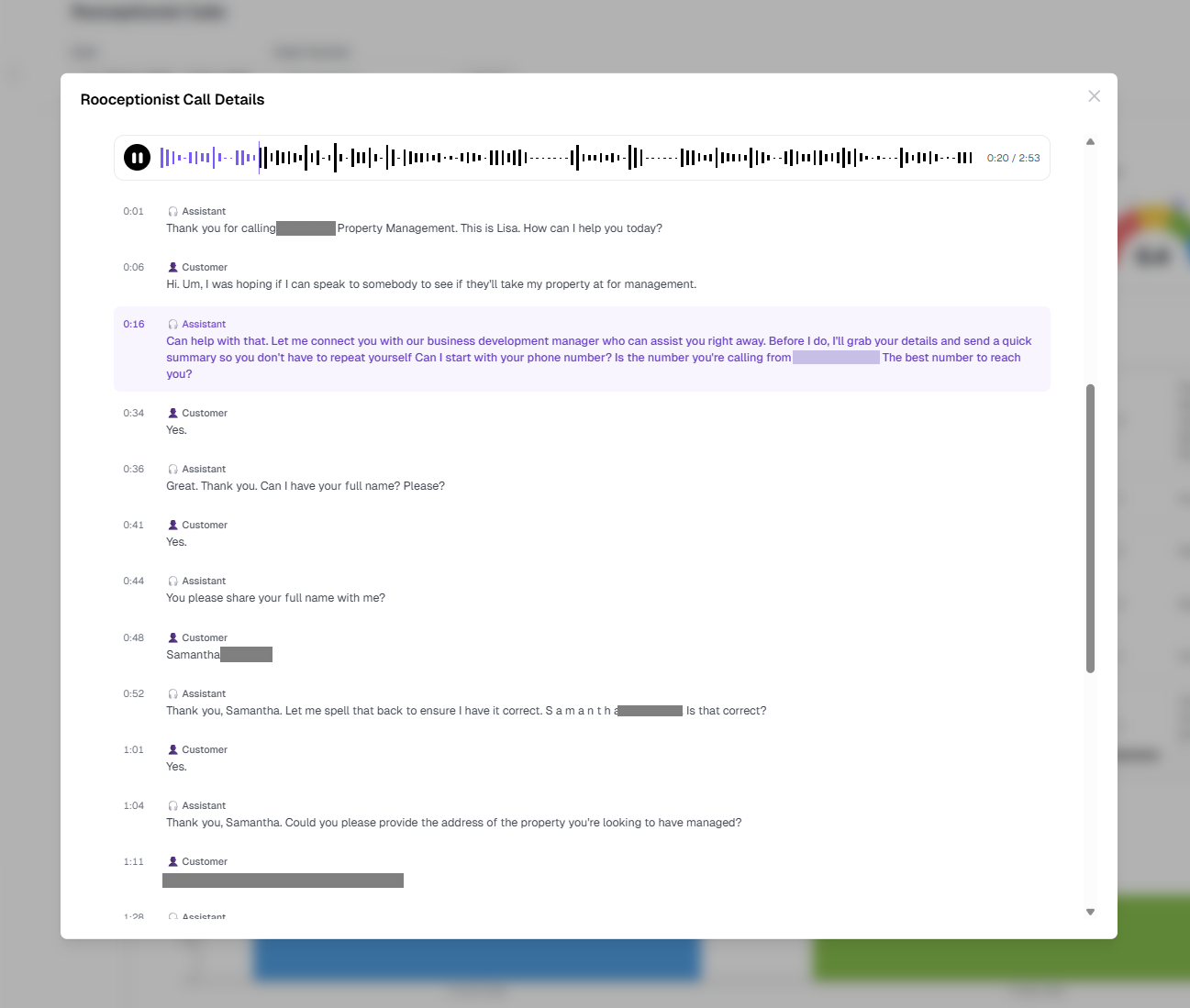
Added functionality for call playback with interactive transcript
Fixing redirection bugs between desktop/web apps / chrome extension
Stay tuned for more useful stats in this report, coming soon!
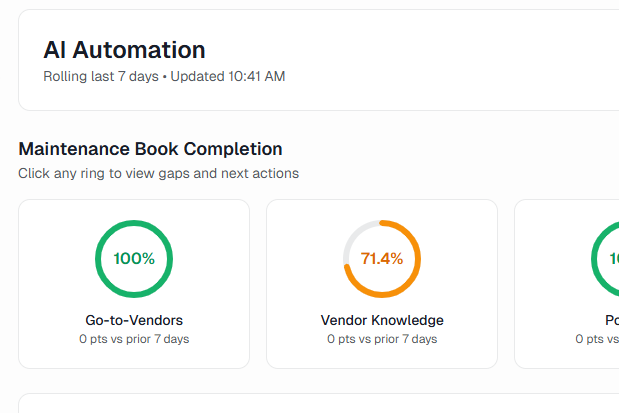
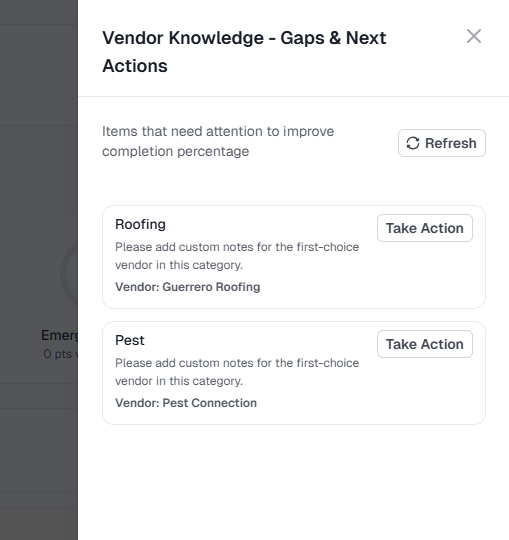
Vendor Knowledge (@AI-Automation Dashboard)
New ring highlighting gaps in notes for first-choice vendors to help improve outcomes
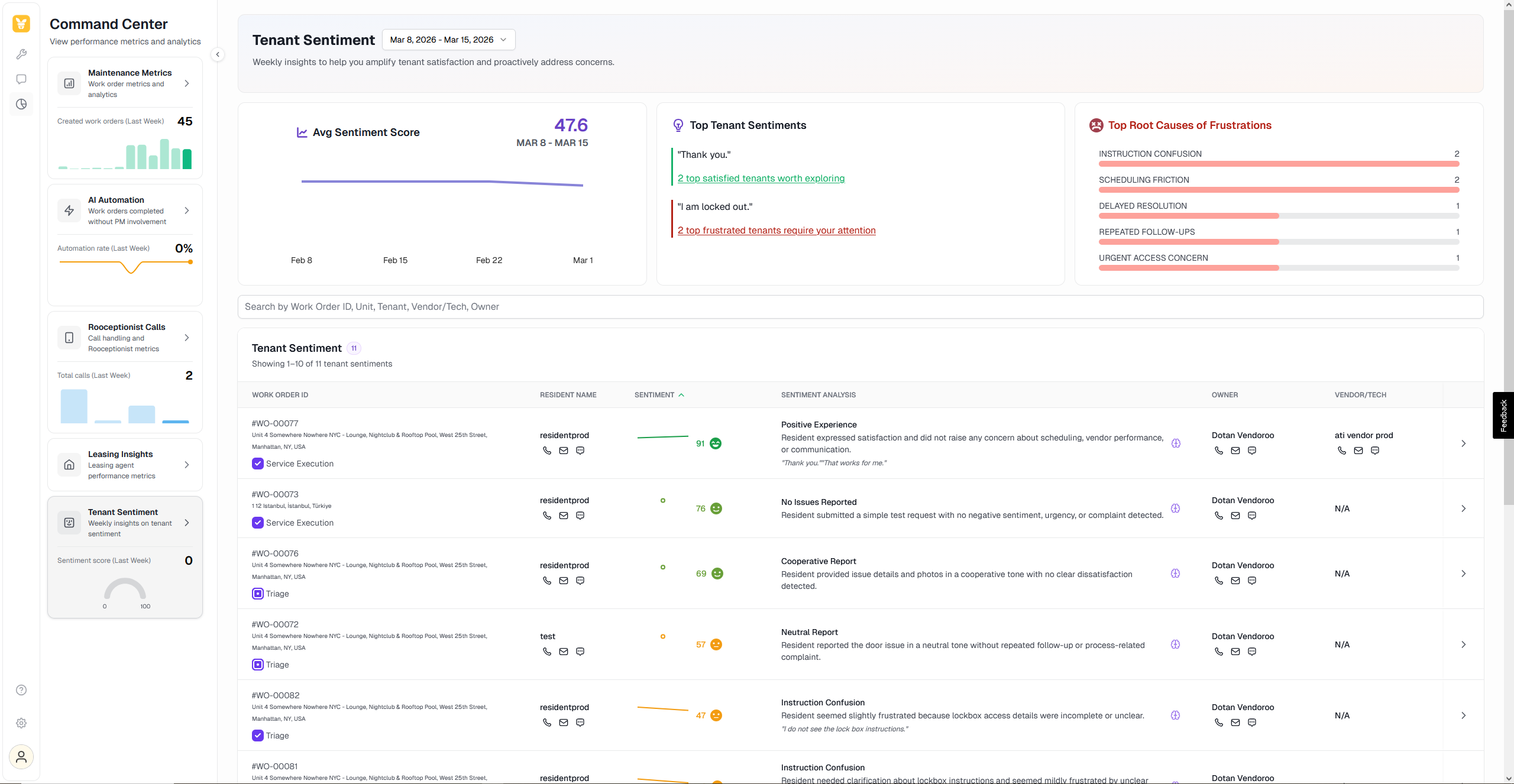
Revamped Tenant Sentiment
Rolling out gradually
Problems we set out to solve:
Positive interactions were missed
Sentiment analysis failed to pinpoint the exact problem in the workflow, and better understanding the story
Missing -
Relevant data points (owner, vendor/tech)
High level insights (what are the main frustration root causes?)
Calls to action
The revamped Tenant Sentiment dashboard is designed to drive a continuous improvement loop:
Detect frustration/satisfaction across recent interactions with tenants (+added quotes!)
Identify patterns
Take action:
Communicate with stakeholders (tenant, owner, vendor/tech)
Adjust workflows
Coming soon: View indication of review links sent
Improve outcomes (improve efficiency, improve relationships, reduce turns)
Tier 1 clients? Track sentiment across intake & triage, and upgrade to access actionable sentiment data across the entire workflow
Please note: The sentiment score from now on will be an index from 0–100, ranging from negative, through neutral, to positive sentiment. Previous weeks' data has been adjusted accordingly.
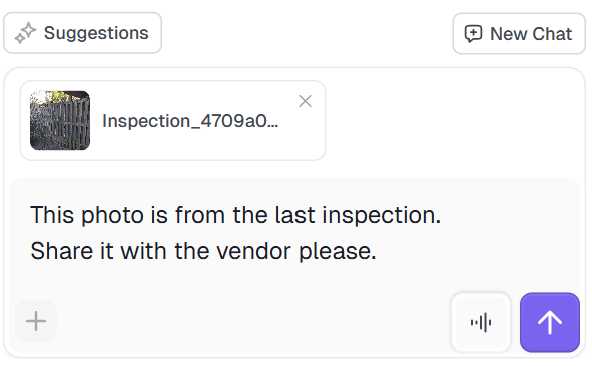
Attach files in PMRoo
Share photos and files with Roo to improve work orders processing
Select a file or drag it from your desktop
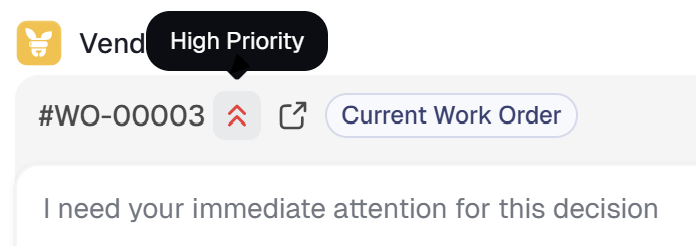
Priority Escalations
Some escalations need your priority attention. Set up your notification settings to align with your workflow.
Rolling out this week.
Quicker Responses to Escalations
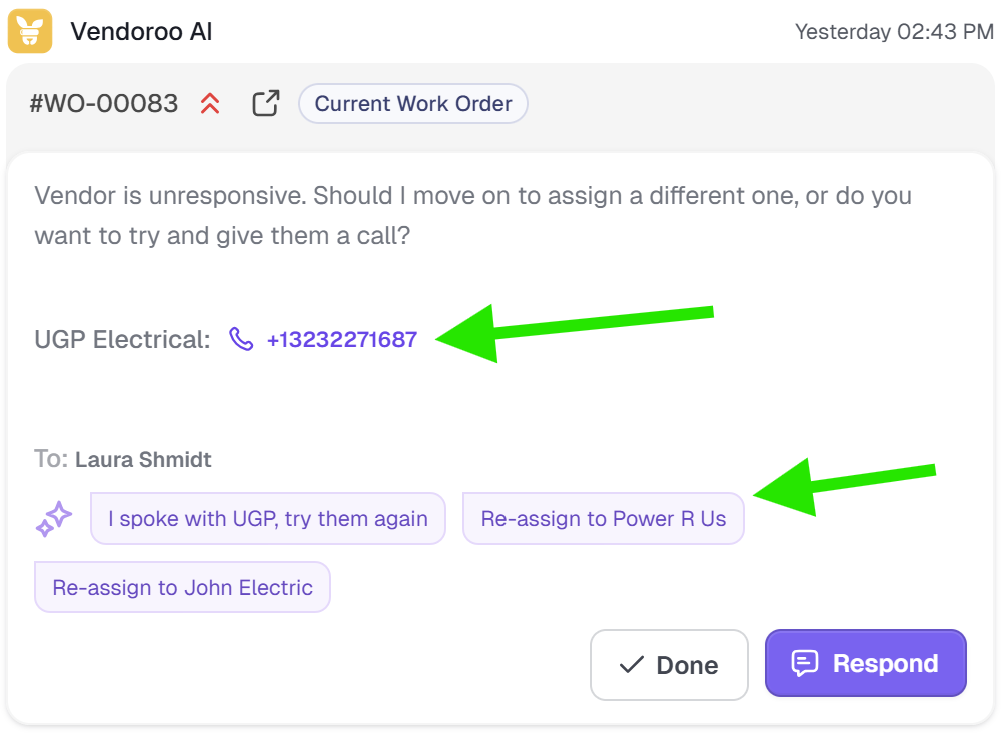
Use quick replies offered by the Roo
Make phone calls in one click
Respond to escalation directly from the Chat tab
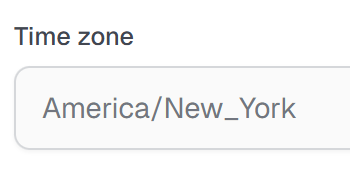
All PMRoo times use your account time zone
Times and dates throughout the app now use your account time zone, regardless of login location
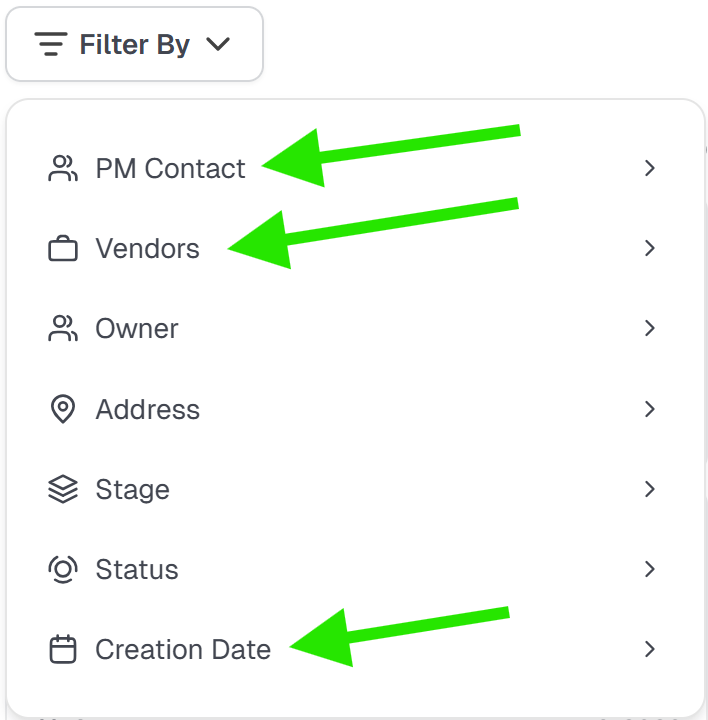
New filters to organize your work orders list
Filter by the assigned contact on your team
Filter by vendors involved in the work order
Filter by work order’s creation date
Get help and training
Check the help menu for useful resources


Access PMRoo
Monitor, chat, and take action across your operations→ Click Here
View the Education Series
Learn workflows, automation, and best practices→ Click Here
Need help? Start with PMRoo, If you still need help contact the support email
Contact the support team: support@vendoroo.freshdesk.com
Was this article helpful?
That’s Great!
Thank you for your feedback
Sorry! We couldn't be helpful
Thank you for your feedback
Feedback sent
We appreciate your effort and will try to fix the article