? Notification Customization — Stay Informed, Not Overwhelmed
Vendoroo gives you full control over how and when you receive updates from your AI teammates. Whether it’s a task update, an escalation alert, or a weekly performance summary, you choose the signal — and filter out the noise.
? What You Can Be Notified About
Task or work order updates
Escalation alerts (e.g., vendor no-show, unresolved issues)
Resident or vendor communication triggers
Weekly performance insights from the dashboard
✅ Best Practices for Notification Setup
? 1. Avoid Double Alerts
- Your PMS likely already sends alerts — don’t duplicate effort
- If your PMS handles something well, leave Vendoroo notifications off for that category
- Use Vendoroo to fill gaps where your PMS falls short (e.g., proactive escalation updates)
?️ 2. Customize the Timing
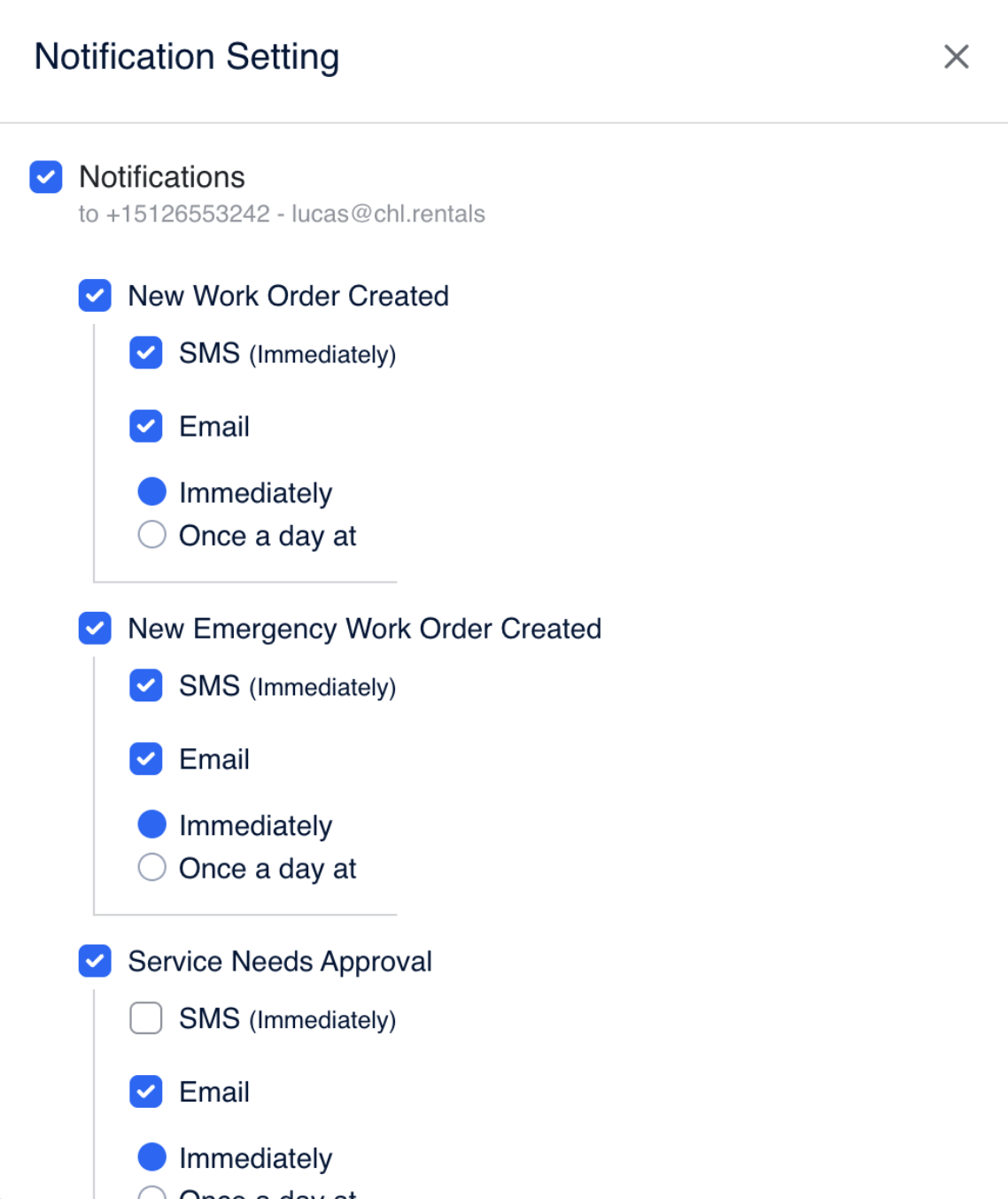
You have two options:
- Real-time alerts for urgent, in-the-moment updates
- Scheduled digests (e.g., every day at 5 PM) to reduce alert fatigue during high-volume periods
Batching non-urgent alerts helps your team stay focused without missing important info.
? 3. Leverage Weekly Insights
- Turn on the weekly summary email from the Insights Dashboard
- Gives you a high-level view of AI performance, vendor responsiveness, and volume trends
- Helps you spot patterns without being buried in daily updates
? Customizable Notification Settings
| Setting | Customizable? | Description |
|---|---|---|
| Notification Type | ✅ | Choose what types of alerts you want (e.g., only escalations, or all) |
| Delivery Channel | ✅ | Pick between email, SMS, or in-app messages |
| Delivery Frequency | ✅ | Instantly, daily, or weekly — whatever fits your workflow |
| Insights Summary | ✅ | Optional weekly performance digest — clean, clear, and always useful |
? Pro Tip
Start with more notifications during onboarding to build confidence and visibility. Once you’ve seen how Vendoroo operates, scale back to a lean, optimized alert strategy that supports your team without interrupting it.
Was this article helpful?
That’s Great!
Thank you for your feedback
Sorry! We couldn't be helpful
Thank you for your feedback
Feedback sent
We appreciate your effort and will try to fix the article